> For the complete documentation index, see [llms.txt](https://doc.dastra.eu/llms.txt). Markdown versions of documentation pages are available by appending `.md` to page URLs; this page is available as [Markdown](https://doc.dastra.eu/en/features/integrations/sap-leanix.md).
# SAP LeanIX
SAP LeanIX integration to synchronize applications as assets in Dastra
### What is SAP LeanIX?
[SAP LeanIX](https://www.leanix.net/) is an enterprise architecture management platform: organizations use it to inventory and govern their application landscape as *fact sheets*.
### What does the integration do?
The integration **imports your SAP LeanIX Application fact sheets into the Dastra asset registry and keeps them in sync**:
* Each LeanIX application becomes (or updates) an **asset** in your workspace.
* The synchronization runs **daily**, and can be triggered manually at any time.
* Existing assets are updated, never duplicated: matching is done on the LeanIX fact sheet identifier (and optionally on a field of your choice, see deduplication below).
* Assets are never deleted by the integration — applications that disappear from LeanIX are only flagged with a tag.
### Prerequisites
* Your SAP LeanIX **instance URL**, e.g. `https://your-company.leanix.net`.
* An **API token** of a LeanIX *technical user*, created by your LeanIX administrator.
{% hint style="warning" %}
Use the root URL of your LeanIX instance, without any workspace path (e.g. `https://your-company.leanix.net`, not `https://your-company.leanix.net/MyWorkspace`).
{% endhint %}
### Installation
1. Open **Settings > Integrations** and select **SAP LeanIX**.
2. On the use case **Import your SAP LeanIX applications into the Dastra asset registry**, click **Add integration**.
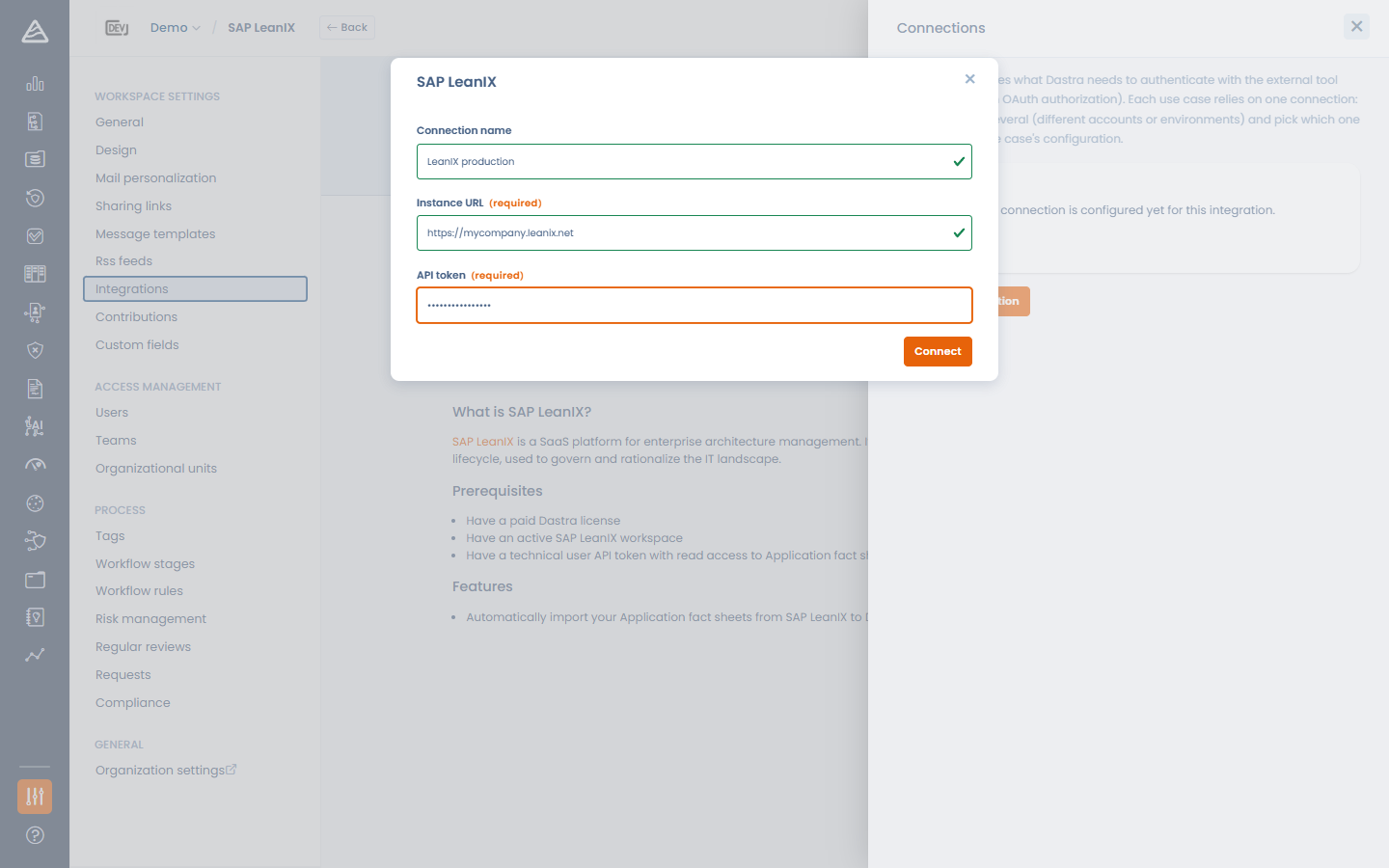
3. Add a connection: enter a **Connection name**, the **Instance URL** and the **API token**, then click **Connect**. Dastra validates the token against your instance.
Connecting Dastra to SAP LeanIX
### Configuration
The configuration step lets you control how applications are imported:
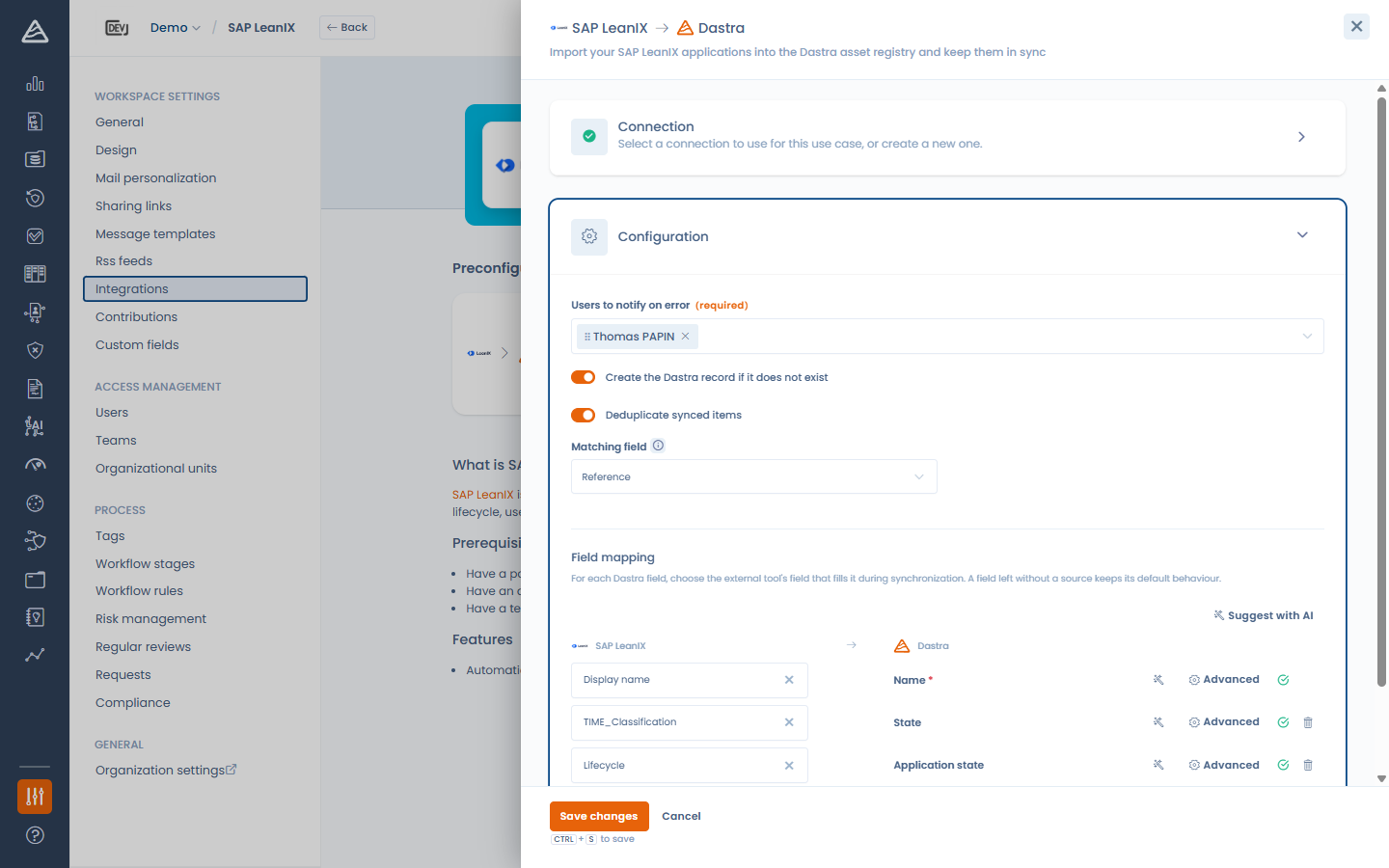
* **Users to notify on error** (required) — these users receive an e-mail when a synchronization fails.
* **Create the Dastra record if it does not exist** — when disabled, only existing assets are updated.
* **Deduplicate synced items** — match incoming applications against existing assets on a **Matching field** (**Label** or **Reference**) to update them instead of creating duplicates.
* **Field mapping** — choose which LeanIX field fills each Dastra field (see [Connections, use cases and field mapping](/en/features/integrations/connections-and-field-mapping.md)).
Configuring the SAP LeanIX import
#### Field mapping specifics
* The source list is discovered **live from your LeanIX data model**, so your custom attributes are available, along with their possible values for transcoding.
* The default mapping works out of the box: *Display name* → **Label**, *Description* → **Description**, and *Lifecycle* → **Application state** with a pre-filled transcoding (plan/phase-in → in development, active → in production, phase-out/end-of-life → stopped) that you can adjust in the **Advanced** panel.
* Map any LeanIX field (for example an internal application identifier) to the asset **Reference** to make it searchable in Dastra and usable as the deduplication matching field.
### How is data synchronized?
The synchronization runs automatically **once a day**. You can also trigger it at any time with **Run synchronization now** on the use case card, and follow the executions with **View logs** (created / updated / flagged counters, error details).
#### Applications deleted in SAP LeanIX
When a previously imported asset no longer exists in LeanIX, Dastra does **not** delete it: it adds the tag `To-delete-sap-leanix` so you can review and decide. If the fact sheet reappears in LeanIX later, the tag is removed automatically.
When deduplication finds **several** matching assets for one incoming application, the candidates are tagged `To-merge-sap-leanix` for a manual merge decision.
{% hint style="info" %}
Imported assets belong to your workspace: uninstalling the integration keeps them (and their tags) untouched.
{% endhint %}
---
# Agent Instructions
This documentation is published with GitBook. GitBook is the documentation platform designed so that both humans and AI agents can read, navigate, and reason over technical content effectively. Learn more at gitbook.com.
## Querying This Documentation
If you need additional information that is not directly available in this page, you can query the documentation dynamically by asking a question.
Perform an HTTP GET request on the current page URL with the `ask` query parameter, and the optional `goal` query parameter:
```
GET https://doc.dastra.eu/en/features/integrations/sap-leanix.md?ask=&goal=
```
`ask` is the immediate question: it should be specific, self-contained, and written in natural language.
`goal` is optional and describes the broader end goal you are ultimately trying to accomplish on behalf of the user. GitBook uses it to tailor the answer towards what is most useful for that goal.
The response will contain a direct answer to the question and relevant excerpts and sources from the documentation.
Use this mechanism when the answer is not explicitly present in the current page, you need clarification or additional context, or you want to retrieve related documentation sections.