For the complete documentation index, see llms.txt. This page is also available as Markdown.

Document redaction

Redact documents attached to a data subject request directly inside Dastra, with or without AI assistance.

When processing a data subject right request, it is common to share documents with the requester β€” identity copies, contracts, account histories, client files. These documents almost always contain confidential information that should not be passed on: data relating to third parties, internal contractual details, or personal references.

Dastra includes a redaction tool directly inside the request workflow, without requiring you to leave the platform.


How to access redaction

The redaction tool is available from the Communication / Transmission step of a request in progress, when an attachment is present or added.

  1. Open a data subject request in progress

  2. Go to the Communication / Transmission step

  3. Select or add the document to be shared

  4. Click Redact document

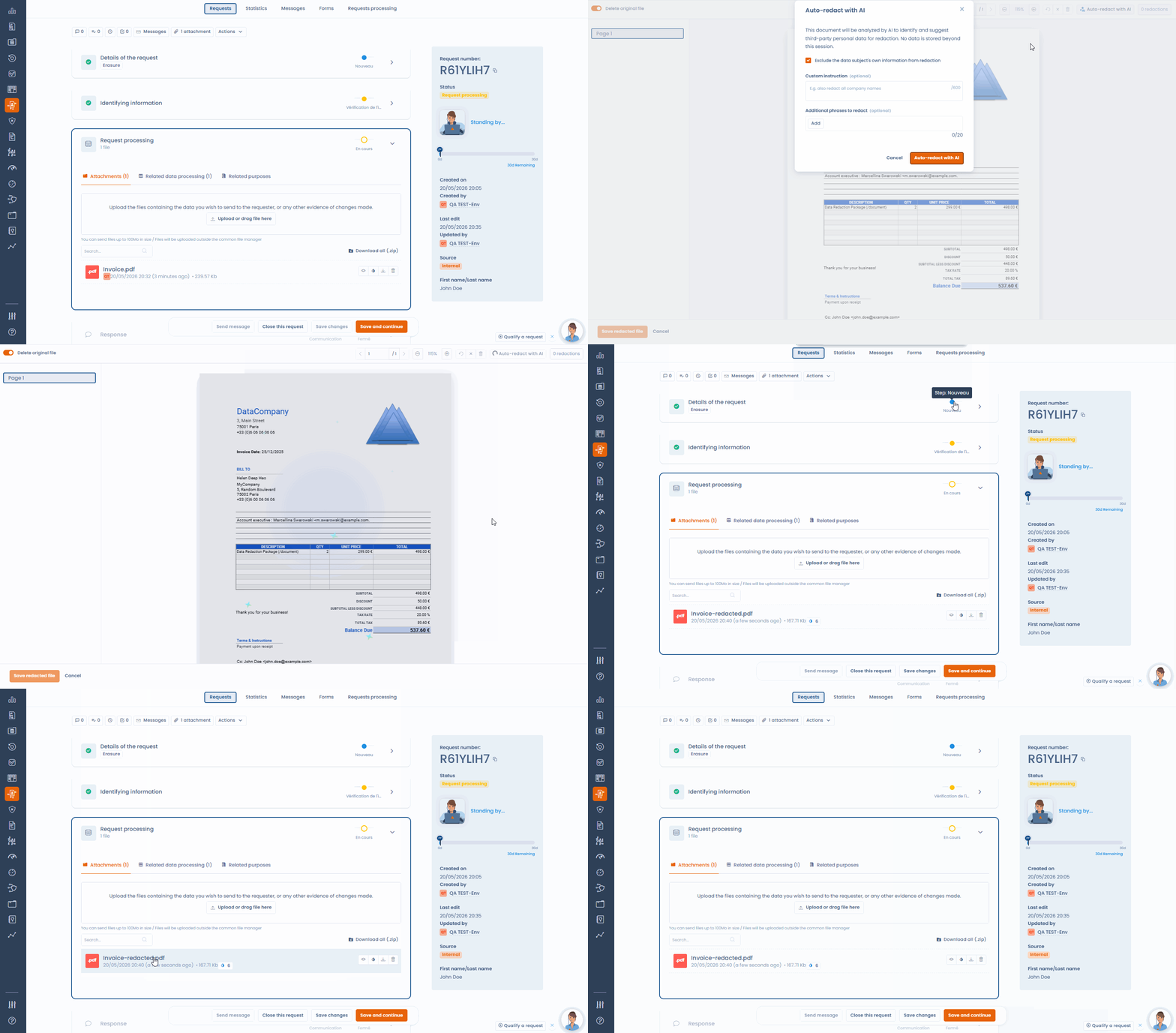
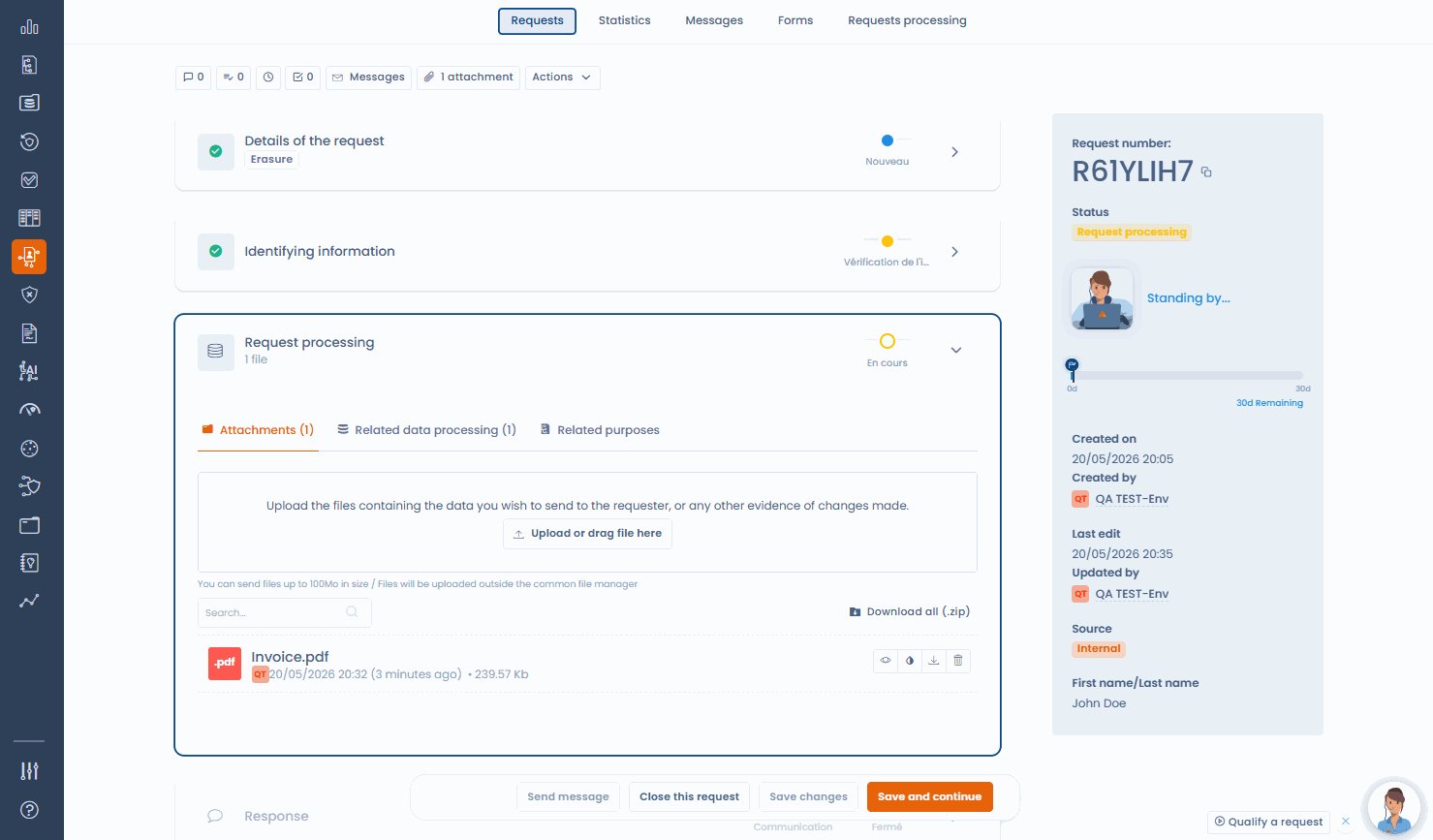
Request processing step with the original document to redact
Original attachment in the request processing step β€” ready to redact

AI-assisted redaction

When you launch redaction, the AI assistant analyses the document and automatically detects zones likely to contain third-party personal identifiers: names, addresses, contact details, identification numbers.

These zones are pre-selected and displayed on the document. Your team then:

  • Removes false positives with a click (incorrectly detected zones)

  • Manually adds any zones the AI may have missed


Manual redaction

For teams that prefer to keep full control without AI assistance, fully manual redaction is available in the same interface. Select the zones to mask directly on the document.


Generating the redacted document

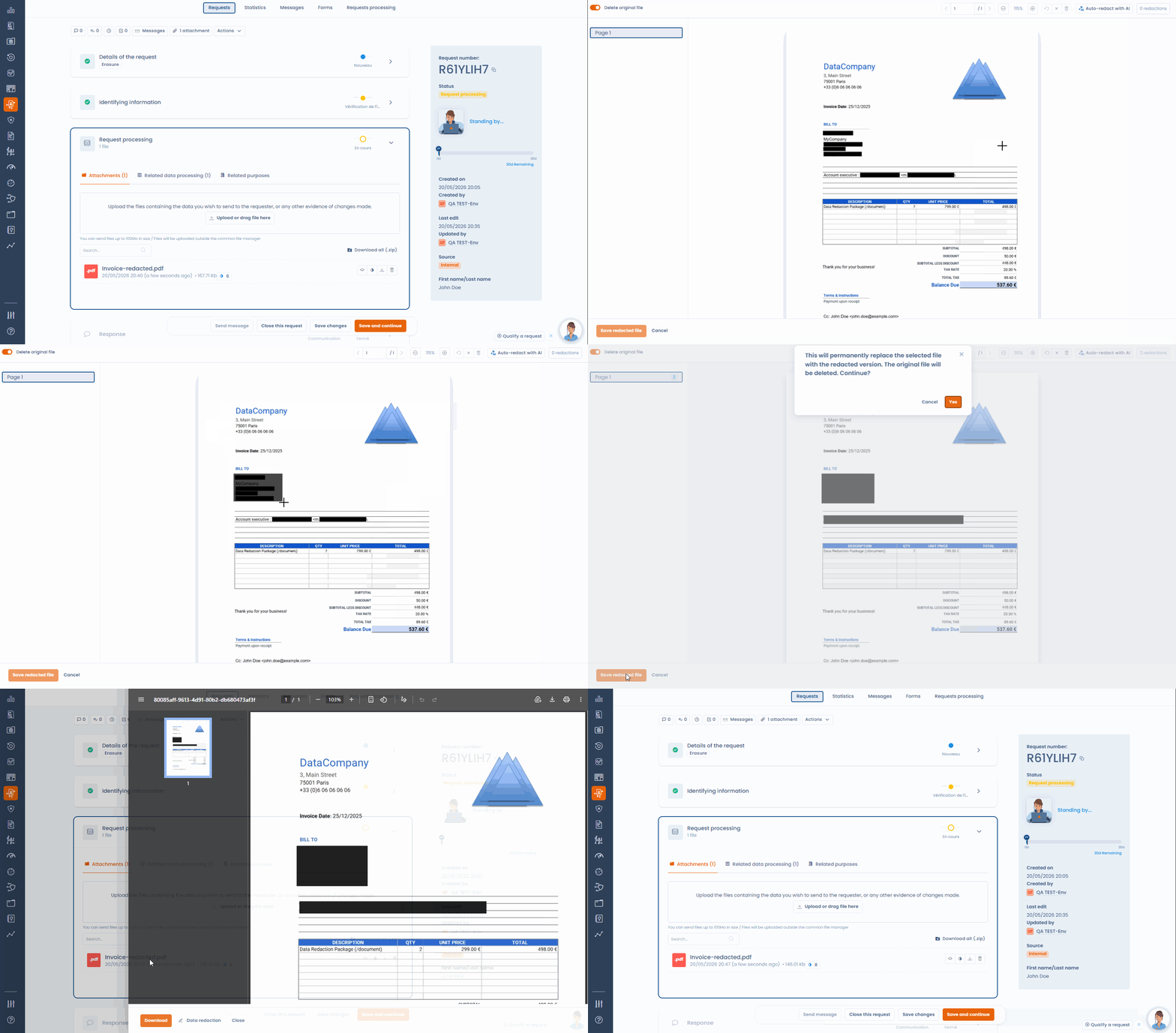
Once the review is complete, click Generate redacted document. The output document is:

  • Rasterised β€” the underlying text is not simply hidden visually but made definitively inaccessible. It is not possible to extract redacted content from the final file.

  • Saved to the request β€” the redacted document is attached to the request and available for sending.

The original can be kept or deleted based on your organisation's policy.

Rasterisation-based redaction is the method recommended by data protection authorities. A simple visual mask (an opaque rectangle on a non-flattened PDF) can be circumvented and does not constitute compliant redaction.


Best practices

  • Always review the redacted document before sending to verify that no confidential information is visible.

  • Keep the original in Dastra for your compliance file, unless your internal policy requires deletion.

  • For large or complex documents (multi-page contracts, account statements), combine AI detection with a manual page-by-page review.

Last updated

Was this helpful?