> For the complete documentation index, see [llms.txt](https://doc.dastra.eu/llms.txt). Markdown versions of documentation pages are available by appending `.md` to page URLs; this page is available as [Markdown](https://doc.dastra.eu/de/features/settings/etapes-de-processus.md).
# Prozessschritte
Lernen Sie, die Workflow-Schritte in Dastra anzupassen.
{% hint style="info" %}
**Prozessschritte vs. Workflow-Regeln**
Die Prozessschritte definieren die Status, die Objekte durchlaufen. Um Aktionen bei Schrittänderungen zu automatisieren (eine Benachrichtigung senden, eine Aufgabe erstellen…), konsultieren Sie die [Workflow-Regeln](/de/features/settings/workflow-rules.md).
{% endhint %}
## Wozu dienen Prozessschritte?
Die Workflow-Schritte ermöglichen es, einen Realisierungsprozess zu materialisieren, indem man von einem Schritt zum nächsten übergeht.
So können Sie Ihr Verfahren sehr operativ umsetzen, indem Sie die zu befolgenden Schritte direkt in Dastra angeben.
## Wie passe ich die Workflow-Schritte an?
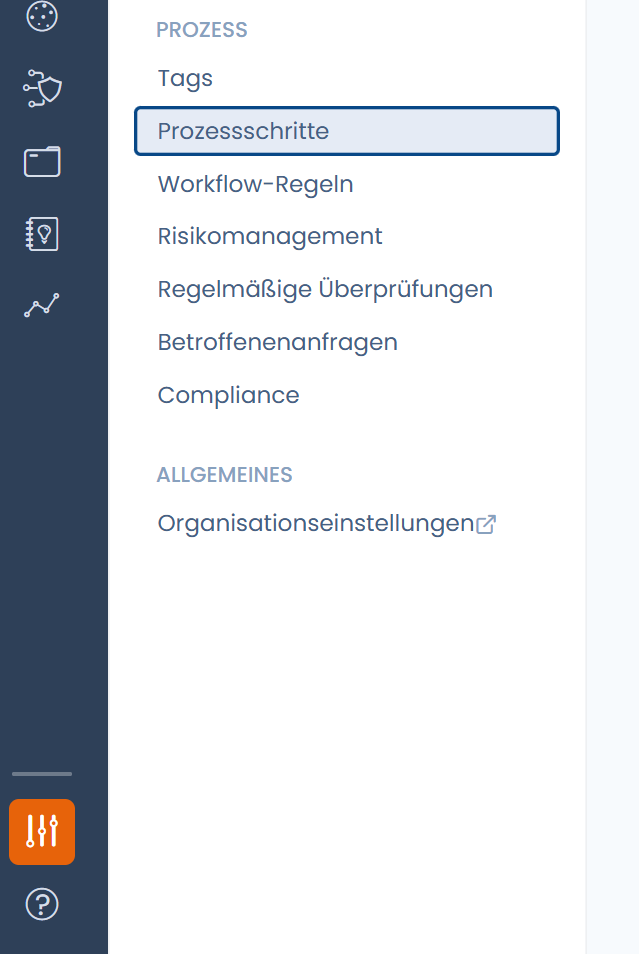
Klicken Sie auf „**Mandanteneinstellungen**" und dann auf „**Prozessschritte**"
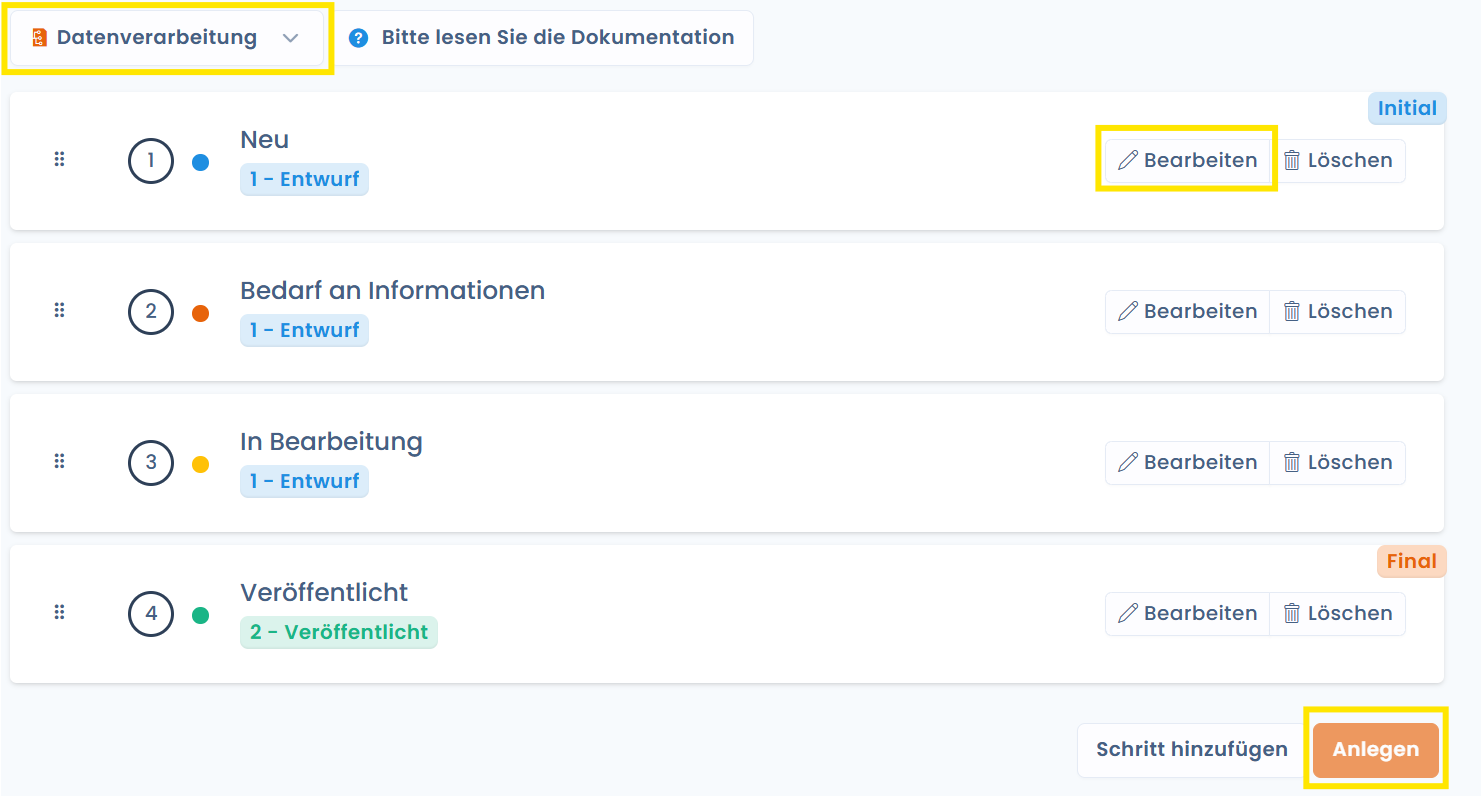
Sie erhalten Zugriff auf die verschiedenen Schritte und Status („Entwurf" oder „Veröffentlicht") der pro Prozess verfügbaren Workflows. Passen Sie diese nach Ihren Wünschen an und klicken Sie auf „Anlegen".
## Kann man einen Workflow-Schritt löschen?
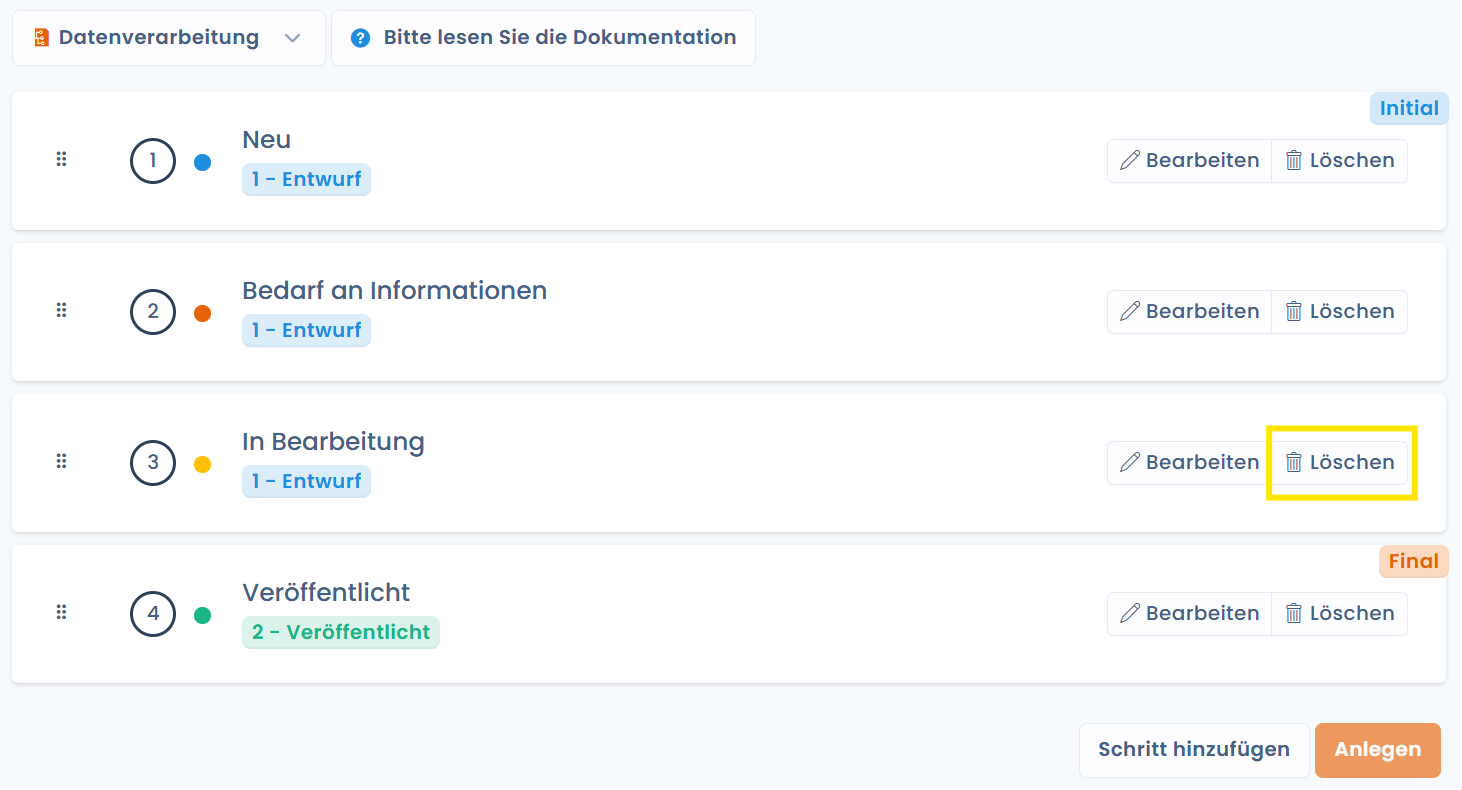
Um Schritte zu löschen, klicken Sie auf den Papierkorb.
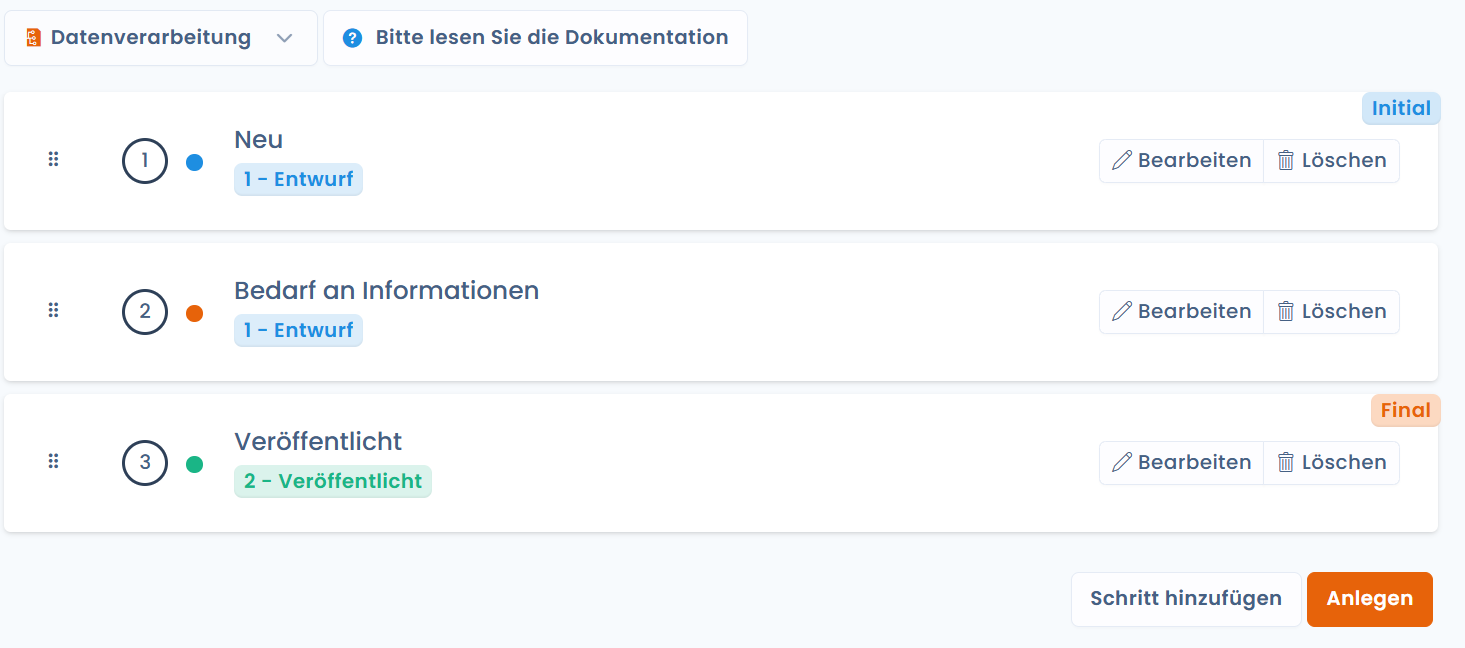
Die an den gelöschten Schritt angehängten Elemente werden automatisch dem ersten Schritt im selben Status zugeordnet.
Wenn Sie zum Beispiel den Schritt „In Bearbeitung" in den Aufgaben-Workflows löschen:
Werden die angehängten Objekte auf den Schritt „Bedarf an Informationen" verschoben:
---
# Agent Instructions
This documentation is published with GitBook. GitBook is the documentation platform designed so that both humans and AI agents can read, navigate, and reason over technical content effectively. Learn more at gitbook.com.
## Querying This Documentation
If you need additional information that is not directly available in this page, you can query the documentation by asking a question.
Perform an HTTP GET request on the following URL with the `ask` and `goal` query parameters:
```
GET https://doc.dastra.eu/de/features/settings/etapes-de-processus.md?ask=&goal=
```
`ask` is the immediate question: it should be specific, self-contained, and written in natural language.
`goal` is what the user is ultimately trying to achieve, the reason they need the answer. Sharing it helps GitBook give you a better, more relevant answer. A goal is most helpful when it describes the outcome the user wants rather than restating the question. For example, with `ask=how do I create an API token`, a goal like `automate deployments from our CI pipeline` lets GitBook tailor the answer to that use case.
The response will contain a direct answer to the question and relevant excerpts and sources from the documentation.
Use this mechanism when the answer is not explicitly present in the current page, you need clarification or additional context, or you want to retrieve related documentation sections.